April 1st, 2025
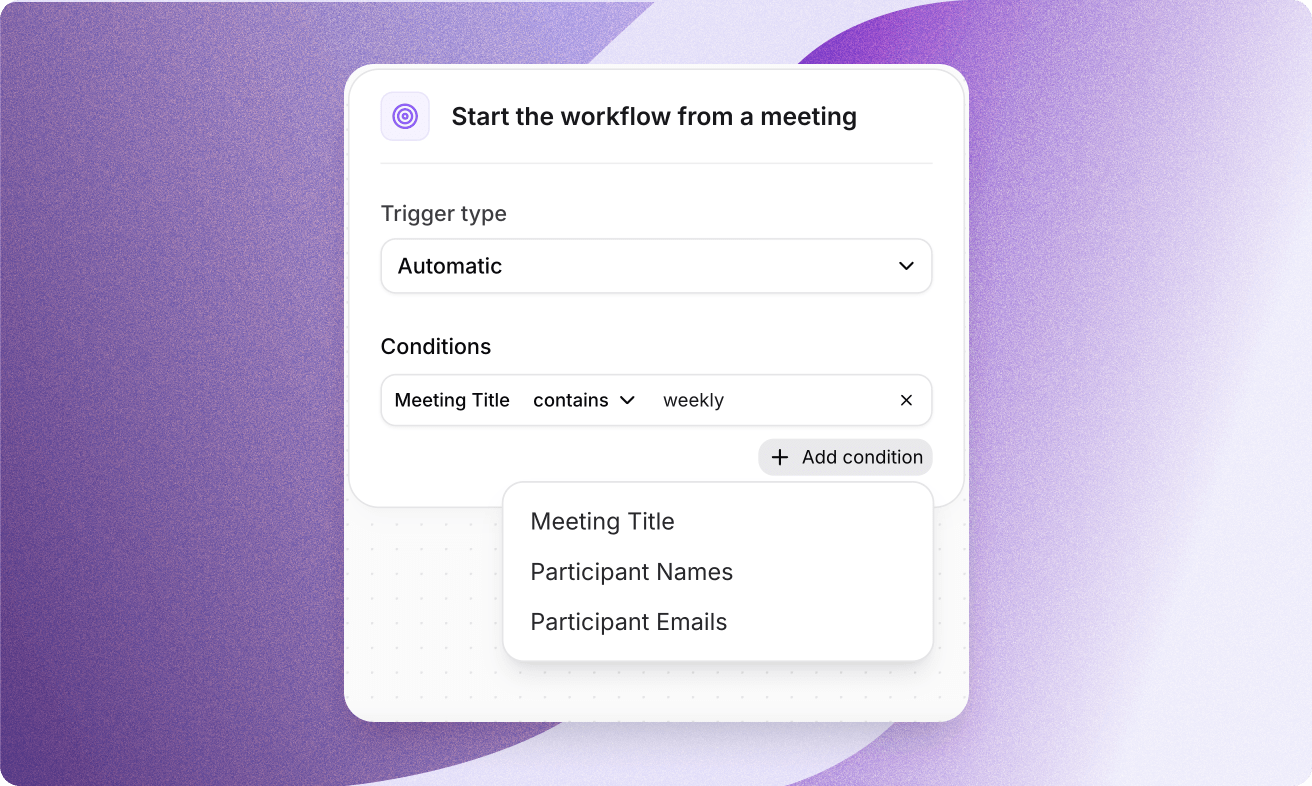
Run AI Workflows Automatically
New: Automatic Triggers for AI Workflows ✨
You can now run AI Workflows automatically after meetings using custom conditions without having to find, select, and run workflows yourself.
With Automatic Triggers, your workflows are triggered the moment a meeting ends, saving you even more time while keeping your notes, summaries, and tools perfectly in sync.
How does it work?
Go to your favorite AI Workflow or create a new one
Select Automatic from the Trigger type in the first step
Set trigger conditions like:
🗂️ Meeting title — does it include "1:1", "weekly", etc.?
👩💻 Participant names — was someone specific in the meeting?
📩 Participant emails — did someone from a certain company join?
Get started here → https://app.tactiq.io/#/workflows