May 16th, 2025
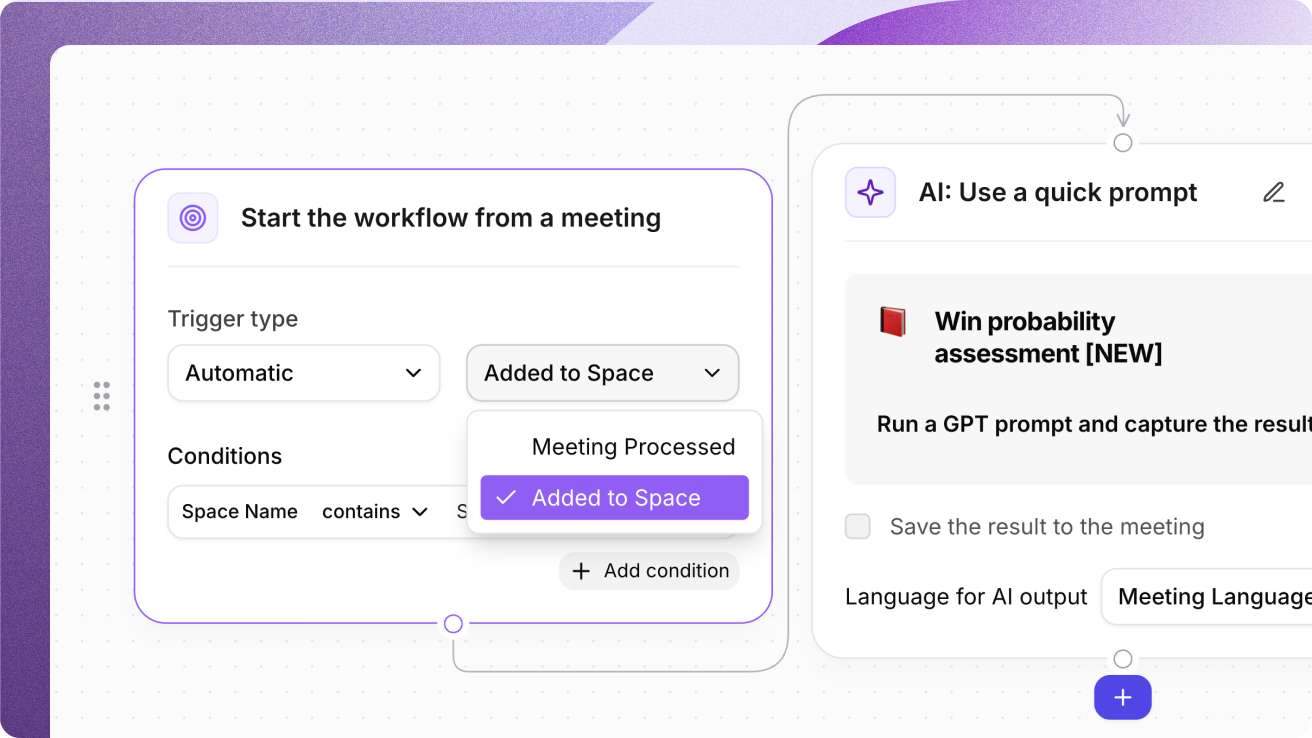
Trigger AI Workflows by adding meetings to a Space
Adding transcripts to Spaces can now automatically generate & share follow-ups, summaries, and project updates from meetings with the new AI Workflow trigger type - Space name or ID. Set your trigger type to automatic and select Added to Space as the trigger.
Setup the meeting insights you want to generate from transcripts in specific Spaces so you can automatically have the updates you need, across the right apps at your fingertips.
Stack conditions for relevant automation
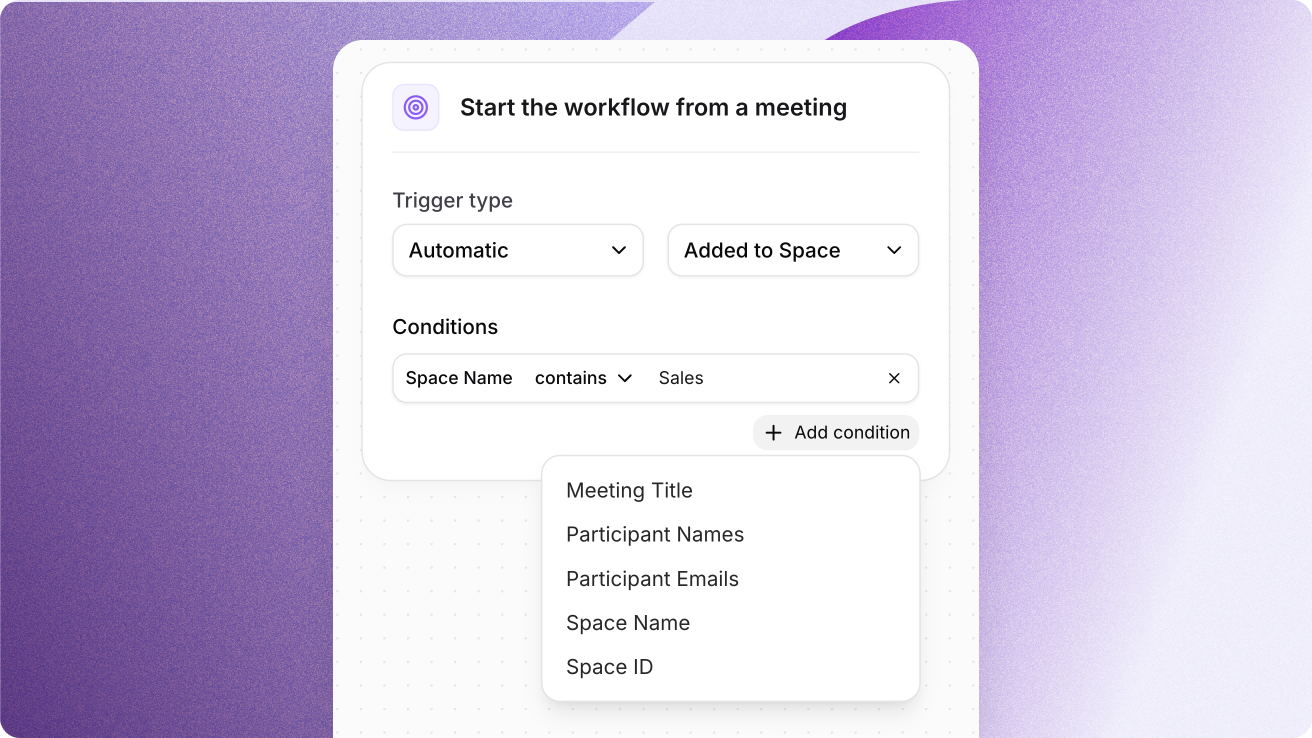
Add a condition for Space Name or Space ID in the Trigger type of the starting node to target updates to the right projects, teams, or clients without lifting a finger.
Build logic like:Meeting Title includes "Demo" AND Space Name includes "Customer Success"
Participant Names include "David" AND Space ID is "abcd1234"
Why are Space triggers useful?
Team members can now get instantly aligned by having a summary automatically generated and/or the insights shared to your tools like Slack as soon as the meeting is added to a space.
Are you in Sales? Set up a Win Probability prompt to trigger when a meeting is added to your Sales space and see the win probability assessment and main customer pain points.
Are you in Engineering? Quickly get aligned on roadmap updates, retrospectives, or new JTBD statements your team is working on.
Are you in Marketing? See key launch timelines, team responsibilities, and requirements on marketing materials you need to create.
Build relevant automations with Space-based triggers
Your workflows are only as effective as the context they’re built on. With Space Name or Space ID as a trigger, Tactiq now lets you generate insights the moment a transcript lands in the right Space.