June 14th, 2024
Smart Search - Powerful filters for meeting search
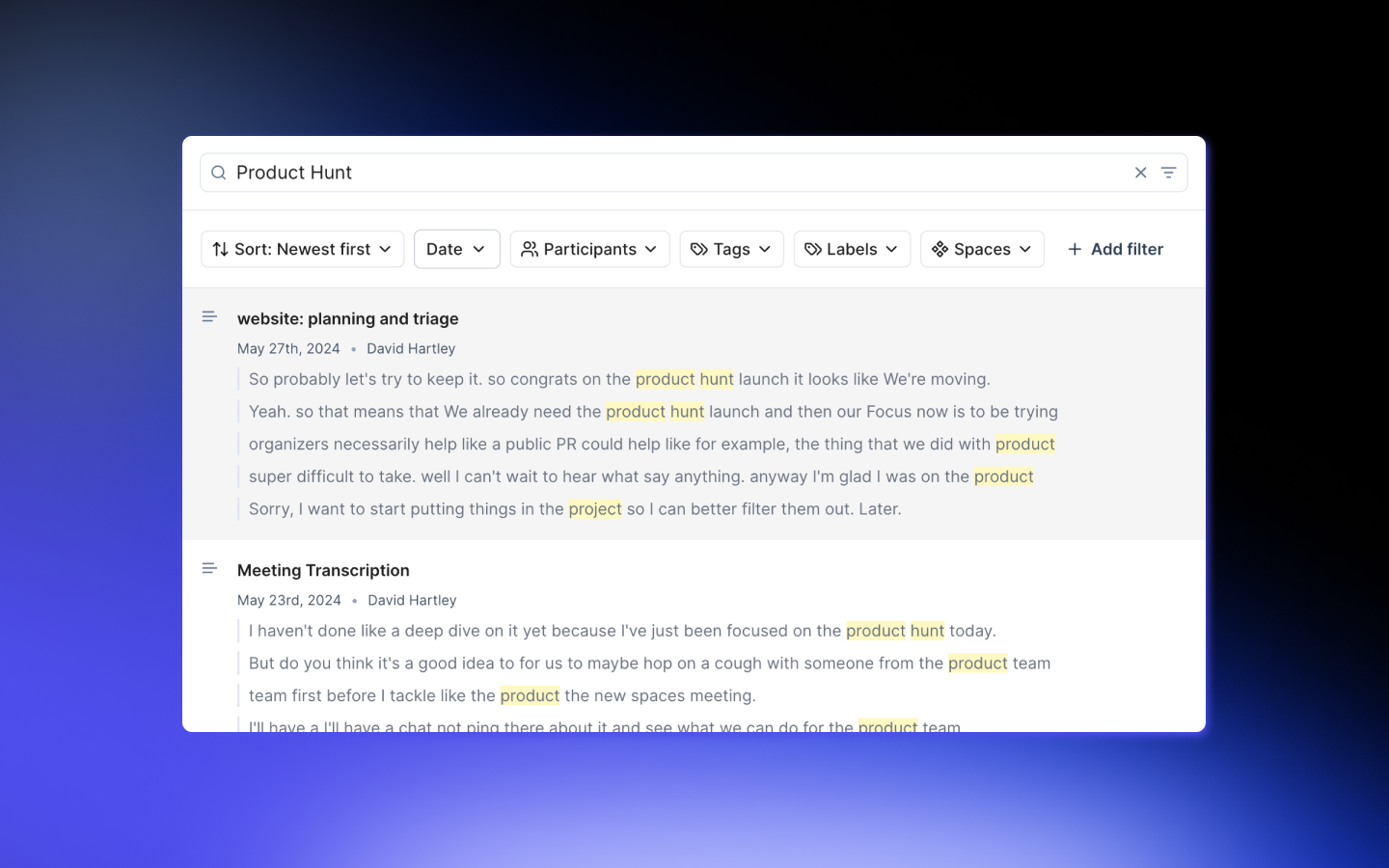
Smart Search radically improves the transcript search experience on Tactiq. Users can now search across all meetings easily with dynamic search and customisable filters.
How to use Smart Search
Dynamic Search
Smart Search enables you to actively search across all of your meeting transcripts clearly and easily. Not only does it identify meetings based off of key words mentioned, it automatically provides you with a preview of the meeting to provide context on whether phrase searched is from the exact meeting you are looking for.
Filter to find what you're looking for
Using the search filters you can now easily reduce the scope of your search to narrow down your search across the right transcripts.
Filters include:
1. Date: Search across last day, 7 days, 30 days or a custom date range
2. Participants: Search across a single user or multiple
3. Tags & Labels: Toggle by tags and labels
4. Spaces: Search across one space or multiple simultaneously
5. Languages, Owners & Platforms: Filter across Tactiq's languages, team owners and meeting platforms